Reduce phone tag
Move routine questions and updates into an asynchronous channel that works around busy clinic and patient schedules.
Secure patient conversations
Carrick brings two-way patient texting, calls, voicemail, appointments, forms, and follow-up into one shared conversation—without asking patients to download another app.
Trusted by healthcare teams


















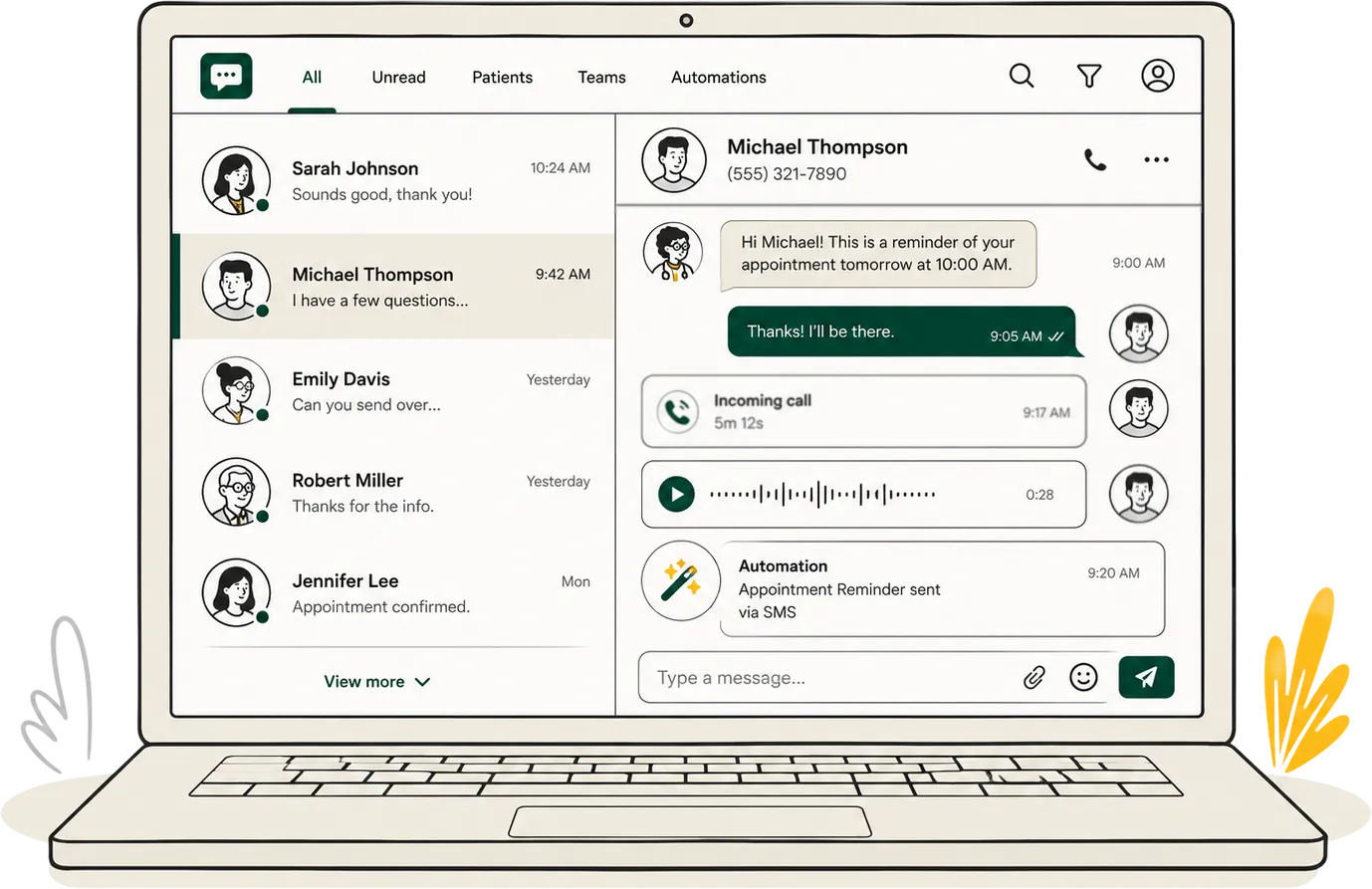
Two-way healthcare messaging
Two-way text messaging lets patients reply, ask a question, or share an update instead of receiving a dead-end alert. Carrick keeps those responses visible and actionable for the care team.
Move routine questions and updates into an asynchronous channel that works around busy clinic and patient schedules.
Give patients a simple way to reach the care team from the messaging app already on their phone.
Make the conversation history, current owner, internal notes, and next steps visible to authorized staff.
How two-way conversations work
Patients get a clear way in. Staff get the context and ownership they need to move the request forward.
01
The conversation can begin with an incoming text, a reply to a reminder, a form, a missed call, or another connected workflow.
02
Staff can see the patient details, communication history, appointments, notes, tags, consent state, and active workflows available to them.
03
The team can assign ownership, use approved templates, add internal notes, and continue the conversation from one shared workspace.
04
The outcome remains with the patient history so the next staff member can pick up without asking the patient to start over.
Everyday patient access
Help patients confirm, cancel, reschedule, find the right location, or understand what to do before a visit.
Answer approved administrative questions without sending every patient through a phone queue.
Keep non-emergency follow-up clear and visible across staff, programs, locations, and communication channels.
Carrick is designed for approved patient communication and operational workflows. It is not a substitute for emergency services or clinical decision-making.
One shared workspace
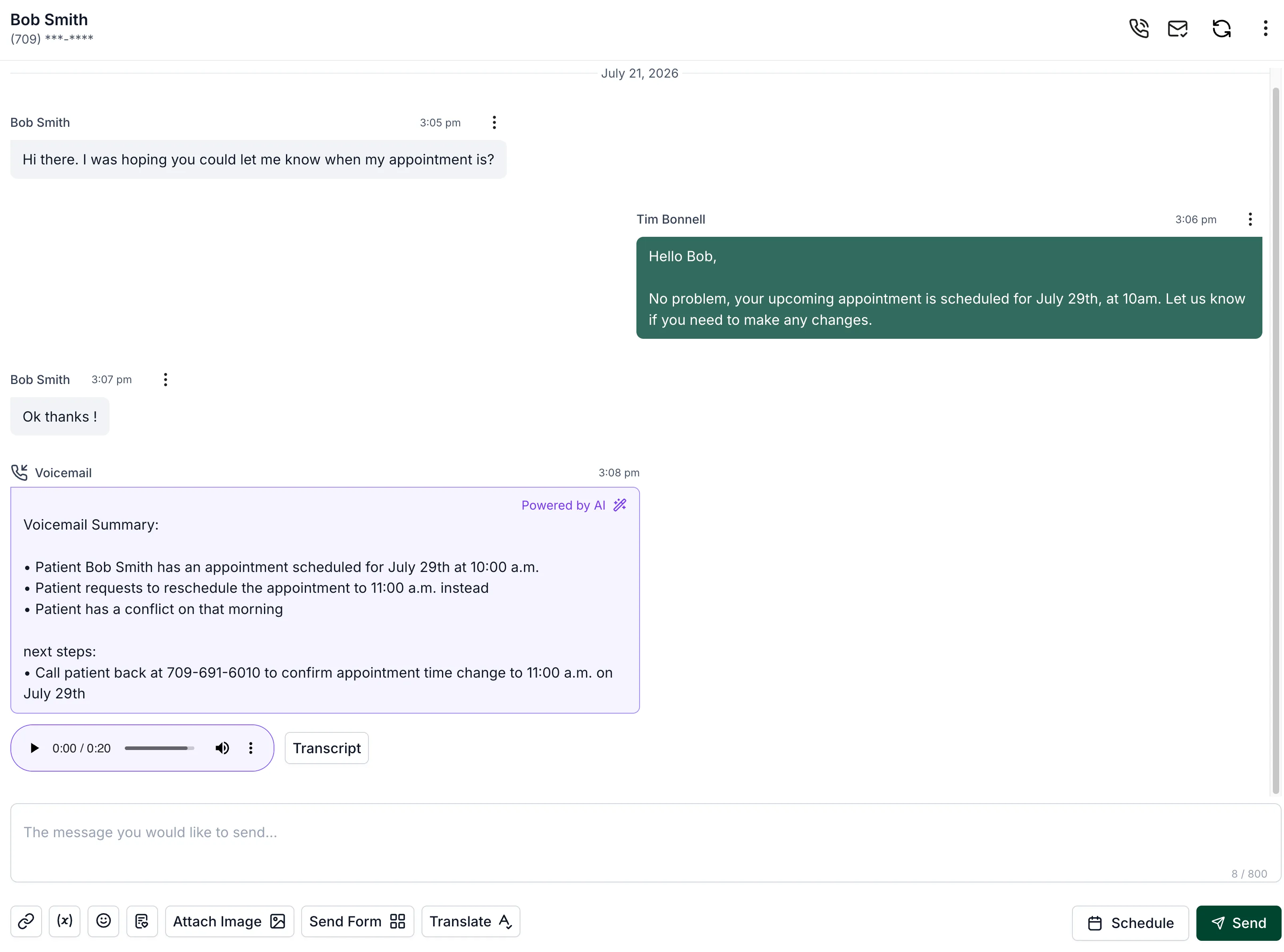
Keep patient messages alongside connected calls, voicemail, appointments, forms, internal notes, and follow-up so the next person can understand what has already happened.
Clear ownership: assign conversations and see who is responsible for the next step.
Faster responses: use approved templates, scheduled messages, trackable links, and keyword workflows.
Better continuity: add internal notes and retain the history when work moves between staff or locations.
Accessible communication: translate messages inside the conversation where enabled.
Privacy & governance
Carrick supports secure patient communication with role-appropriate access, consent and opt-out workflows, activity history, and organizational controls. Your implementation can be configured around the teams, locations, and policies that govern your work.
Two-way patient texting lets patients and healthcare teams send and receive messages. Unlike a one-way alert, a patient can reply to ask a question, confirm an appointment, provide an update, or request help with a routine administrative need.
No. Patients use the default messaging app already on their phone, without downloading Carrick, creating another account, or remembering a new password.
Yes. Carrick gives authorized team members a shared workspace where they can review conversation history, see ownership, add internal context, and continue the conversation without making the patient repeat information.
Yes. Carrick can bring texts, answered and missed calls, voicemail, appointments, forms, notes, and related follow-up into one time-ordered patient communication history.
Carrick supports HIPAA-compliant texting for US healthcare organizations and PIPEDA/PHIPA-compliant texting for Canadian providers. Each organization remains responsible for configuring consent, message content, access, and workflows appropriately.
Make access feel simpler
See how Carrick can bring patient messages, calls, voicemail, appointments, forms, and follow-up into one coordinated workflow.